
Watch LED Scroller turns your Android phone and Wear OS watch into LED message boards. Write a cheer, name or short message, then choose how it moves, looks and reacts to touch.
Use a single screen for an event or silent conversation, or connect several phones into a shared billboard. Presets, widgets, setting links and a compatible watch-face complication keep your favorite messages easy to reuse.
Key features
- Scroll, Static and Character modes on phone and Wear OS.
- 14 fonts, custom text colors and separate 1–10 size and speed controls.
- Touch effects, five presets and two phone widget options.
- Connected Billboard rooms and shareable settings.
Three ways to display your message
Scroll moves the text across the display; Static keeps a phrase on screen; Character shows one large character at a time. Choose the mode that suits a long cheer, a short label or a bold sequence.
Character mode centers each character within the watch screen and uses its own transition speed. Static does not use scroll speed or direction; preview the phrase and select a readable size for your device.

Make the text your own
Choose from 14 fonts, color presets including gradients, and dark background colors. The custom color picker also lets you select your own solid text color rather than relying on presets.
Font names are shown in their own typeface. Step through fonts with the arrows or tap the name to open the complete list; text size has a separate 1–10 slider.

Control motion and orientation
Adjust scrolling speed with a 1–10 slider independently of text size. Choose the direction and rotate the display through 0°, 90°, 180° or 270° to suit the way you hold the device.
Blinking has its own speed setting and can be switched off; a dot effect adds an LED-style texture. Use a slower pace for longer phrases so each part remains readable.

Add a response to touch
Tap the LED display on your phone or watch for vibration and a visual effect. Choose glitch, flash or pulse to add a brief accent while the message is displayed.
The effect is configurable and can be disabled in settings. Keep a simple display for a practical message, or add an effect when you want a more playful banner.
Display on a phone or Wear OS watch
The mobile app supports fullscreen LED playback as well as editing and preview. Use the phone as a larger sign, including on a tablet where scrolling text adapts to the screen.
Install the Wear OS app separately to show the message on your wrist. Phone settings are sent to the paired watch; if an update does not appear, check the connection and open the watch app.

Keep favorite messages close with widgets
The quick-launch home widget lets you browse presets 1–5 with left and right arrows. Press Play to open fullscreen playback, or tap the preview to open the app.
The resizable LED display widget shows a static preview of your current setting and updates when that setting changes. Use it as a home-screen message rather than an animated scrolling widget.
Connect phones into one billboard
Create a Connected Billboard room and give friends the room key. Continuous mode carries the text across phones placed side by side; Mirror mode shows the same message on every screen.
The host controls device order and the room mode. Playback and blink timing stay coordinated even across different screen sizes or different play-button times, and the room remains joined until you leave it. Connected Billboard does not support Character mode.

Share a complete LED setting
Share your message and its visual settings by link so another person can import the same configuration. The share dialog displays the URL and key, with options to copy or share the URL.
Sharing the same unchanged setting reopens its existing dialog rather than creating another key. Sharing and importing require a network connection; use a preset to keep a favorite setting readily available.
Put a message on a compatible watch face
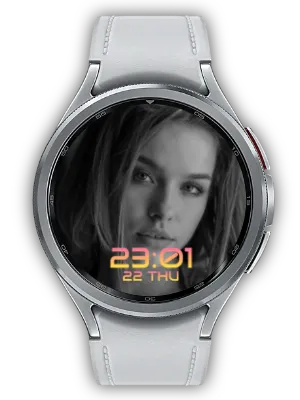
Watch LED Scroller provides a static message preview as an image complication. Choose it as the complication source on a watch face that supports a photo or image slot.
LED Board Watch Face is a related option for keeping your message on the watch face. The complication is an image preview; fullscreen animated playback is provided by the Scroller app.
Ways to use it
- Concerts: show an artist name or a short cheer.
- Events: display a name, team label or booth message.
- Noisy places: communicate with a short readable phrase.
- Group displays: line up phones for a shared banner.
Get started
- Enter a short message and select Scroll, Static or Character.
- Choose font, colors, size, speed and optional effects.
- Start phone playback or install and open the Wear OS app.
- Save a preset, add a widget or create a room to display with friends.
Related app
Updates
- Release highlights: Choose Scroll, Static, or Character display modes. Character shows one large character at a time, centered within the watch screen. The final onboarding screen opens the detailed product page.
- Release highlights: Tap the phone or watch LED screen for vibration and glitch, flash, or pulse effects; choose an effect or turn it off in settings. Font names preview their typeface, with previous/next arrows and a full list. Text scales better on large screens, and size now has 10 slider levels.
- Localized Connected Billboard: The friend-connection screen now shows its guidance text, buttons, and room info in each supported language.
- Faster Static Text: When scrolling is off, static text now appears on the watch much faster than before.
- 10-Level Scroll Speed: Text scroll speed now has a wider 10-level range, so you can choose levels 1 through 10 directly with the slider.
- Custom Text Color: Pick any solid text color with the color picker while keeping the existing preset colors available.
- Connect with Friends: Join several phones in one room and scroll the same LED together. Line phones up for one long continuous billboard, or use mirror mode to show the same message on every screen. Create a room, share the room key, and everyone stays in sync automatically — even across different screen sizes.
- Feature Discovery Card: Added a "You can also do this" card to the main screen so you can see the LED Board watch face, mobile LED scroller, and mobile widgets at a glance and jump straight to installing the watch face.
- Mobile Widgets: Add LED Scroller to your home screen. A 2x2 quick-launch widget previews presets 1-5 and opens full screen with one tap, and a resizable LED display widget pins your current setup to the home screen and updates instantly when you change settings.
- Share Settings Dialog: Tapping share now shows the share URL and key in a dialog where you can copy, share, or close directly. Re-sharing the same setup reopens the dialog without issuing a new key.
- Design Refresh: Refined color scheme for a cleaner, more usable look.
- Smoother Mode Transitions: Improved transitions so switching modes feels smoother.
- Mobile LED Scroller: You can now run the LED scroller on mobile at the same time.
- Photo Complication: Static-mode text can be shown as an image complication, so you can decorate your watch face with your own message.
- Share Link: Added share links for LED settings.
- Background Color: Added a background color setting.
- Settings Preview: Added a live preview of your settings.
- Link Sharing: Added link sharing for LED messages.
- Video Guide: Added a video guide.
- Link Sharing: Added the ability to share LED messages via link.
- Video Guide: Added a video guide for app usage instructions.
- Preset Settings: Added the ability to save and quickly load frequently used settings as presets.
- Full Screen Mode: Added full screen mode for the LED scroller.
- Default Message Multi-language Support: Extended default messages to support multiple languages.
- Settings Restoration Fix: Fixed issues with previous settings not being properly restored.
- Font Addition & Preview: Added new fonts and preview feature.
- Watch App Install Button: Added watch app install button for better accessibility.
- App Stability Improvement: Improved overall app stability.
- Blink Speed Settings: Added settings to adjust LED text blink speed.
- Ad Position Adjustment: Adjusted ad display position for better usability.
- Watch App Install Button: Added a button to install the watch app directly from the mobile app.
- Auto-save Watch Settings: Improved watch settings to save automatically.
- Text Share Receiving: Added the ability to receive shared text from other apps and display on LED scroller.
- Banner Image Update: Updated the app's banner image.
- Save Settings to Watch: Improved settings to be saved directly on the watch.
- watch-go.com Info Update: Updated watch-go.com related information.
- Korean Font Addition: Added Korean font by user request.
- Comma Display Fix: Fixed comma display error in LED text.
- Typo Fix: Fixed typos in app text.
- Dot Background Setting: Added Dot Background setting option for LED background.
- In-App Review: Added in-app review feature.
- Feedback Channel: Added a channel for user feedback.
- App Usability Improvement: Improved overall app usability.
We welcome any comments or suggestions for improvement.


